DPE Editor
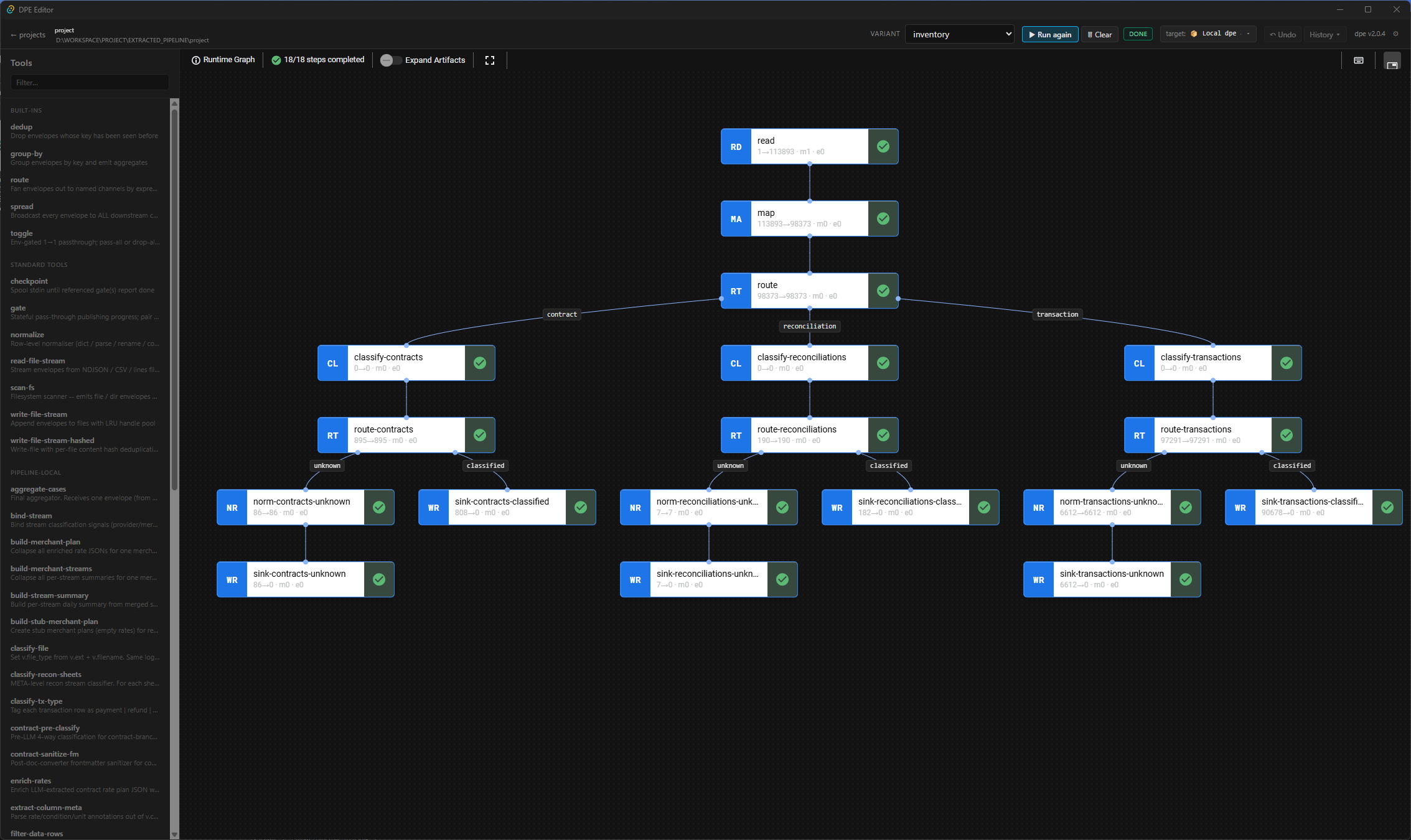
DPE Editor is a desktop application for DPE pipelines. Open a pipeline project, edit its YAML variants through typed forms, launch a run against your local dpe binary, and follow stage progress, record counts, logs and errors on the graph itself.
What it does
Section titled “What it does”- Project picker — a recent-projects list and drag-and-drop to open a pipeline folder.
- Variant editor — edits
variants/*.yamlthrough typed stage forms (filter, dedup, group-by, route and catalogue tools), validated live against each tool’s JSON Schema. - Graph view — the variant’s DAG, with runtime state drawn on each node.
- Run monitor — spawns the local
dpebinary and streams stage progress, stats and per-row errors while the run executes. - Per-stage log inspector — follows one stage’s log stream, with search as you type.
The YAML stays the source of truth: the editor round-trips variant files rather than keeping its own format, so the same variant still runs from the CLI.
Requirements
Section titled “Requirements”The editor drives an installed dpe; it does not bundle one. Install DPE first — see Installing.
It looks for the dpe binary in this order:
dpe.pathin~/.config/dpe-editor/settings.toml(set from the in-app Settings dialog)- the
DPE_BINARYenvironment variable dpeon yourPATH
What it writes to your project
Section titled “What it writes to your project”Per-project state lives in <project>/.dpe-editor/:
| Path | Contents |
|---|---|
recents.json |
last-opened project state |
runs.json |
per-variant run configuration — input and output paths, environment overrides |
backups/ |
a timestamped snapshot of a variant before every save |
Pipelines created with dpe init already list .dpe-editor/ in their .gitignore.
Platforms
Section titled “Platforms”Release bundles are built for Windows x64 (.msi), macOS on Intel and Apple silicon (.dmg), and Linux x64 and arm64 (.AppImage and .deb).
How it talks to DPE
Section titled “How it talks to DPE”The editor works through the dpe CLI’s machine-readable interfaces — dpe run --json --stats for the live event stream, dpe log --stage for per-stage logs, and dpe check --plan for the resolved graph — which any other tool can use as well. They are documented in Programmatic integration.
License
Section titled “License”AGPL-3.0-or-later, like DPE itself.